- English
- Español
- Português
- русский
- Français
- 日本語
- Deutsch
- tiếng Việt
- Italiano
- Nederlands
- ภาษาไทย
- Polski
- 한국어
- Svenska
- magyar
- Malay
- বাংলা ভাষার
- Dansk
- Suomi
- हिन्दी
- Pilipino
- Türkçe
- Gaeilge
- العربية
- Indonesia
- Norsk
- تمل
- český
- ελληνικά
- український
- Javanese
- فارسی
- தமிழ்
- తెలుగు
- नेपाली
- Burmese
- български
- ລາວ
- Latine
- Қазақша
- Euskal
- Azərbaycan
- Slovenský jazyk
- Македонски
- Lietuvos
- Eesti Keel
- Română
- Slovenski
- मराठी
- Srpski језик

Why Does a Paperless Meeting System Change the Way Modern Teams Meet?
Meetings are supposed to speed up decisions, not slow them down. Yet many organizations still struggle with late document updates, scattered files, unread agendas, printing waste, and rooms full of people waiting for the right version of the same material. A well-designed Paperless Meeting System solves these practical problems by bringing meeting documents, device control, collaboration, display, and real-time participation into one smoother workflow. For teams that want meetings to feel more organized, more secure, and more efficient, the shift is no longer just about removing paper. It is about removing friction.
Article Summary
This article explains how a Paperless Meeting System helps organizations fix everyday meeting pain points such as version confusion, slow sign-in, document leakage, inefficient discussion, and poor follow-up. It also explores what decision-makers should look for before choosing a system, where the biggest value appears in real use, and why integrated hardware and software matter in high-level conference environments. If you are trying to make meetings faster, cleaner, and easier to manage, this guide offers a practical path forward.
Table of Contents
- What will this article cover?
- What problems do traditional meetings still create?
- How does a Paperless Meeting System solve those problems?
- Which functions matter most in daily use?
- How does the old meeting model compare with the new one?
- What should buyers evaluate before choosing a solution?
- Where can this system create the most value?
- What makes this upgrade worth doing now?
- FAQ
Outline
- Understand the hidden inefficiencies of paper-based and semi-digital meetings
- See how a Paperless Meeting System streamlines preparation, participation, and follow-up
- Review the most useful functions for modern meeting rooms
- Compare traditional meeting workflows with integrated digital workflows
- Learn what to ask suppliers before making a purchasing decision
- Identify suitable use cases across government, enterprise, education, finance, and public institutions
What problems do traditional meetings still create?
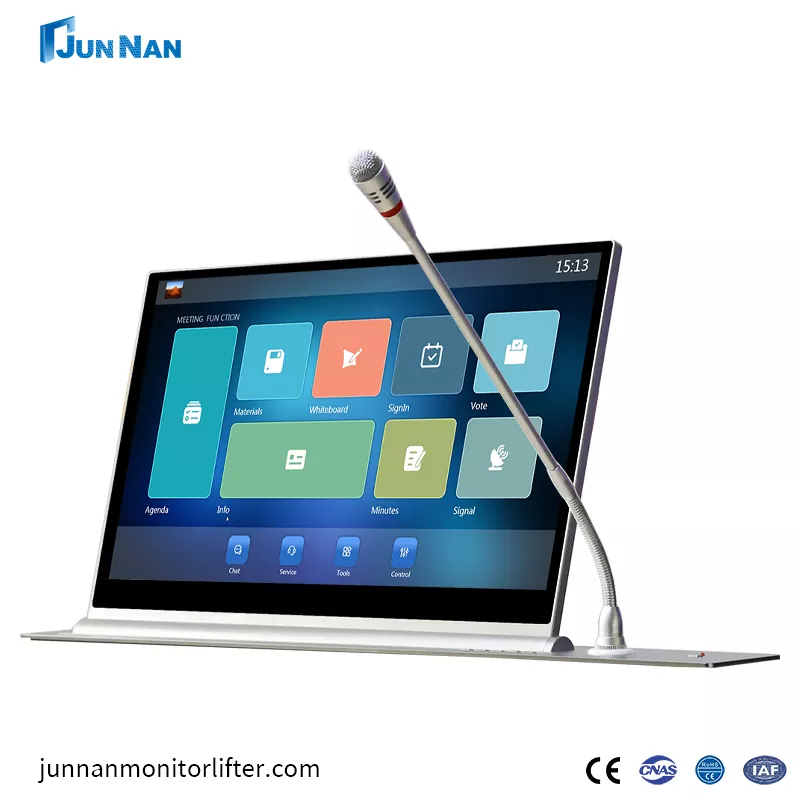
Many companies say they already work digitally because files are sent by email or shared through chat groups. In reality, that often creates a different kind of chaos. Documents arrive in multiple formats, the latest revision is unclear, and participants open materials on personal devices with different screens, settings, and security levels. What looks flexible on the surface often becomes messy in execution.
The most common pain points are surprisingly consistent across industries:
- Version confusion because agendas, reports, and presentation files are revised right before the meeting starts.
- Low meeting efficiency when staff spend time distributing papers, confirming attendance, or asking everyone to turn to the same page.
- Weak confidentiality control when sensitive files are printed, copied, photographed, or forwarded outside the organization.
- Poor engagement because participants cannot easily annotate, vote, compare documents, or share screens in a coordinated way.
- Cost waste from repetitive printing, manual sorting, physical storage, and document disposal.
- Difficult follow-up when notes, decisions, and action items are spread across separate channels after the meeting ends.
These are not abstract management problems. They are daily workflow problems that affect time, accuracy, confidentiality, and the overall image of the organization. In high-level boardrooms, public institutions, executive meeting spaces, and command centers, even small inefficiencies become highly visible.
Back to topHow does a Paperless Meeting System solve those problems?
A Paperless Meeting System replaces fragmented meeting habits with one unified environment. Instead of relying on printed binders, USB drives, email chains, and disconnected devices, the system centralizes meeting preparation and in-room collaboration. Participants enter the room, access the right materials, follow the agenda, and interact with content in a controlled and synchronized way.
This changes the meeting process in three stages.
- Before the meeting, administrators can prepare agendas, assign permissions, upload files, and distribute the right content to the right participants without repeated manual work.
- During the meeting, attendees can sign in, review documents, view shared screens, compare content, participate in voting, and follow the discussion in real time.
- After the meeting, records, decisions, and materials can be retained in a more organized digital structure, making future retrieval easier and reducing information loss.
That is why the value of a Paperless Meeting System is bigger than simple paper reduction. It turns meetings into controlled workflows. For organizations handling confidential information or frequent formal sessions, that shift matters a lot.
Guangzhou Junnan Audiovisual Technology Co,.Ltd. focuses on conference room solutions in this area, where hardware integration and meeting software need to work together rather than exist as separate components. That matters because users do not judge a meeting room by how many features it claims to have. They judge it by whether the meeting runs smoothly from beginning to end.
Back to topWhich functions matter most in daily use?
Not every feature has equal value. Buyers often get distracted by long specification lists, but the real question is simpler: which functions remove real friction for actual users? A practical Paperless Meeting System should help both administrators and participants complete common tasks with less delay and less confusion.
| Function | Why It Matters | User Benefit |
|---|---|---|
| Digital sign-in | Eliminates manual attendance steps and speeds up formal meeting starts | More professional workflow and faster session opening |
| Agenda management | Keeps the meeting structured and ensures participants follow the same flow | Less confusion and better time control |
| Document sharing | Distributes the correct files to the correct users without reprinting | Cleaner access and fewer version mistakes |
| Same-screen or content display | Helps all attendees focus on the same topic at the same moment | Better discussion alignment |
| Dual-screen support | Allows comparison between documents, data, or presentation materials | More efficient review and analysis |
| Voting and decision tools | Makes formal approvals or selections more streamlined and traceable | Faster decisions and clearer records |
| Video conferencing integration | Supports hybrid participation without breaking meeting continuity | Better communication across locations |
| Permission management | Restricts document access according to role or session | Stronger confidentiality and control |
In practical terms, this means a meeting room becomes less dependent on paper packs, improvised cables, rushed file sharing, and manual coordination. That is exactly what decision-makers want when they are upgrading executive conference rooms or digital command spaces.
Back to topHow does the old meeting model compare with the new one?
Sometimes the easiest way to understand the value is through direct comparison. Traditional meetings often feel familiar, but familiar does not always mean efficient.
| Meeting Aspect | Traditional Approach | Paperless Approach |
|---|---|---|
| Preparation | Print, bind, sort, and deliver paper materials manually | Upload once, assign access, and distribute digitally |
| Revision handling | Last-minute changes cause confusion and reprinting | Updates can be synchronized quickly |
| Attendance | Manual check-in or paper sign sheet | System-based sign-in and session tracking |
| Discussion support | Limited by paper copies and projector control | Shared viewing, synchronized display, and interactive functions |
| Security | Printed files can be misplaced or copied easily | Access and visibility can be managed by permissions |
| Cost over time | Ongoing paper, toner, labor, and storage cost | Lower recurring material cost and cleaner workflow |
| Meeting image | Can look outdated in premium environments | Creates a more professional and intelligent impression |
When organizations compare only the initial purchase price, they may underestimate the long-term value. The smarter comparison is this: how much time, labor, waste, and risk does the current meeting process create every month? Once that question is asked honestly, a Paperless Meeting System often becomes easier to justify.
Back to topWhat should buyers evaluate before choosing a solution?
Not all meeting room systems are built with the same priorities. Some are software-heavy but weak in room integration. Others look impressive in hardware form but lack usability in real workflows. Buyers should focus on fit, reliability, and operational simplicity.
Here are the questions worth asking before making a decision:
- Is the system easy for both administrators and participants to learn? A meeting room should reduce friction, not add technical stress.
- Does it support the operating environment you need? Compatibility matters, especially if your organization uses mixed device ecosystems.
- Can it scale with different room sizes and meeting types? One boardroom today may become several rooms tomorrow.
- How strong is the confidentiality structure? Sensitive organizations need clear permission controls and dependable content management.
- Is the hardware stable for long-term use? In formal meeting spaces, downtime is not a minor inconvenience.
- Does the supplier understand integration? Screens, lifts, terminals, software, and room design should work together smoothly.
- What kind of support is available after installation? Fast assistance matters when a system becomes part of daily operations.
Buyers should also think about the actual user journey. Can a chairperson start quickly? Can attendees locate files without assistance? Can the meeting continue smoothly if the agenda changes? A useful Paperless Meeting System should feel organized, responsive, and stable under real pressure, not only in a demonstration.
Back to topWhere can this system create the most value?
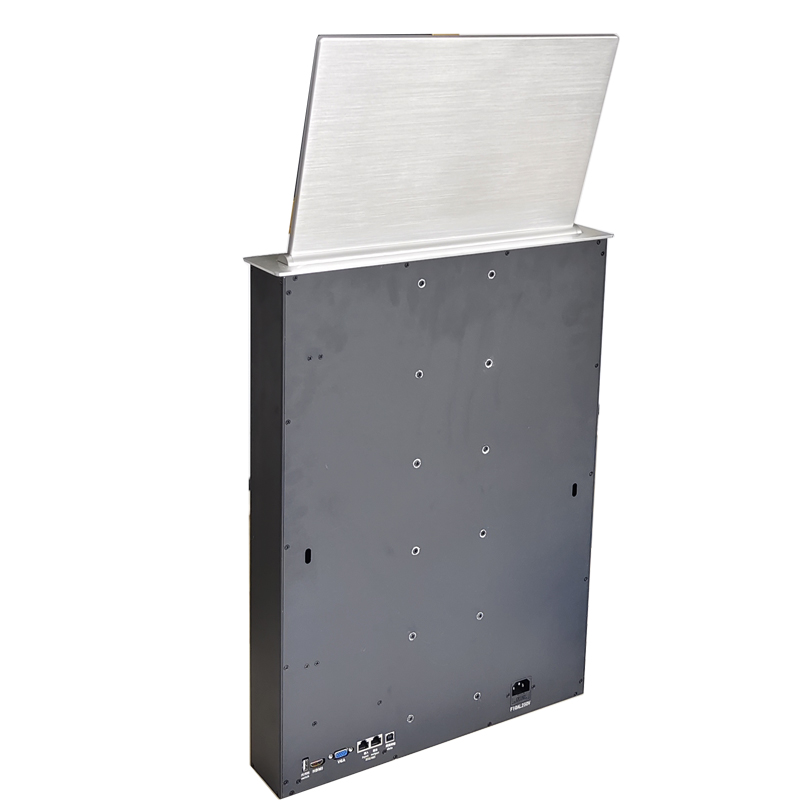
Although the term sounds corporate, the use cases are broader than many buyers expect. Any organization with formal meetings, confidential materials, recurring document review, or a strong need for efficiency can benefit from this kind of setup.
- Government and public institutions that require structured meetings, secure access, and efficient document circulation
- Corporate boardrooms where executive presentations, approvals, and confidential reports must be handled carefully
- Financial institutions where internal review sessions often involve sensitive content and formal procedures
- Educational and training centers that want better display coordination and easier content sharing
- Command and operation centers where synchronized viewing and quick decision support are essential
- Large enterprises trying to standardize meeting quality across multiple spaces or branches
In these settings, the benefit is not just lower paper use. It is stronger control, cleaner execution, and a more polished communication environment. That difference becomes especially noticeable in high-frequency meetings or rooms used for external guests, inspections, presentations, or formal approvals.
Back to topWhat makes this upgrade worth doing now?
Organizations no longer need to accept document confusion, repeated printing, scattered meeting records, or slow room coordination as normal. A modern Paperless Meeting System offers a more disciplined and more efficient way to run meetings, especially where professionalism, confidentiality, and speed matter. It helps teams move from document handling to actual decision-making, which is where meetings should have been focused all along.
If your current workflow still depends on paper packets, last-minute file forwarding, or loosely managed room technology, then the problem is not simply inconvenience. It is lost time, inconsistent control, and avoidable operational drag. A smarter meeting environment can fix that.
If you are planning to upgrade your conference room with a reliable Paperless Meeting System, now is the right time to choose a solution built for real-world meeting demands. Guangzhou Junnan Audiovisual Technology Co,.Ltd. can help you explore a more efficient, more secure, and more professional meeting experience tailored to your project needs. Ready to improve the way your team meets? Contact us today and let us help you design the right conference solution for your space.
FAQ
1. What is a Paperless Meeting System used for?
It is used to manage meeting documents, attendance, agendas, display coordination, and interactive functions in a digital environment, helping organizations run meetings more efficiently and with better control.
2. Is a Paperless Meeting System only suitable for large boardrooms?
No. It is valuable in boardrooms, government meeting rooms, financial institutions, educational spaces, and other formal conference environments where document management and meeting efficiency matter.
3. Can this kind of system help improve confidentiality?
Yes. Digital permission management can reduce unnecessary document exposure and help organizations control who sees which materials during a meeting.
4. Does a Paperless Meeting System only reduce paper costs?
No. It also reduces time lost in document preparation, version management, attendance handling, and post-meeting follow-up, which often creates greater value than paper savings alone.
5. What should I look for when choosing a supplier?
Focus on usability, compatibility, stability, confidentiality features, integration ability, and after-sales support. A good solution should work smoothly in daily use, not just in product demonstrations.